How Does QR Code Check-In Work at Events?
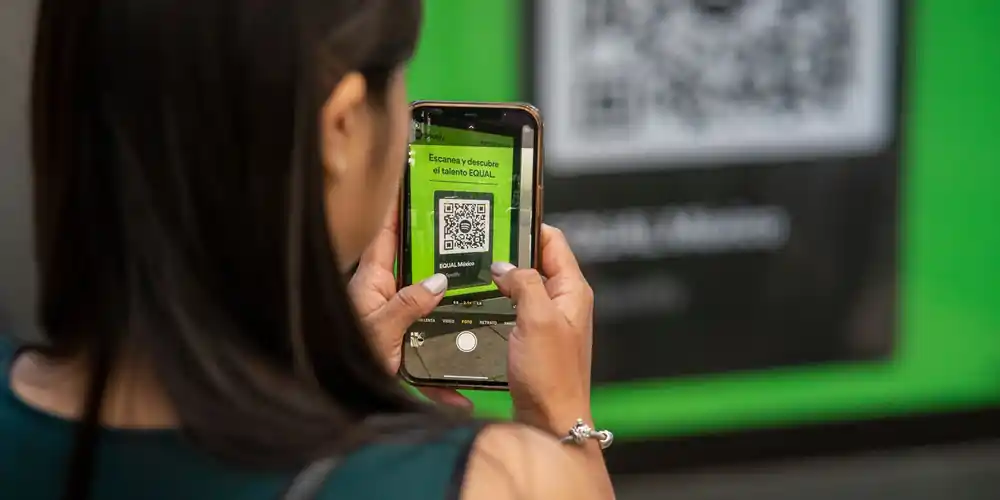
QR code check-in works like this: every ticket sold gets a unique QR code, a staff member scans it with a phone at the door, the system checks the code against a live attendee database in under a second, and the ticket is marked as used so any second scan of the same code is instantly flagged. That is the whole trick (a unique identifier plus a shared source of truth), and it is why a single volunteer with a phone can outpace three people with clipboards.
Here is the event check-in process in plain language, the numbers that justify the switch, and how to set it up for your event.
What Happens When a Ticket Gets Scanned?
A scan is a live lookup against your attendee database, not just a barcode read. Step by step:
- At purchase, the platform generates a unique code for each ticket (not each order) and emails it to the buyer. A family buying four tickets gets four distinct codes.
- At the door, staff open the check-in app on any smartphone and point the camera at the attendee's screen or printout. Crumpled printouts and cracked screens scan fine in practice.
- Validation happens against the live database: is this code real, for this event, for today, and not yet used? The round trip takes well under a second.
- A green result admits the attendee and marks the ticket as checked in, instantly, on every device. A red result means invalid, wrong day, or already scanned, and shows staff why, so the conversation at the door is informed rather than awkward.
- Duplicates die on the spot. Because all scanners share one source of truth, a screenshot forwarded to a friend fails the moment the original is used. This is the fraud protection paper lists cannot provide.
The organizer, meanwhile, watches attendance climb in real time, useful for knowing when your headliner can start or when the lobby rush has actually ended.
How Much Faster Is QR Scanning Than a Paper List?
A QR code check-in scan takes 2 to 3 seconds per attendee; finding a name on a multi-page paper list takes 20 to 30. In practice that means:
- One scanner processes roughly 300 to 500 attendees per hour. A staffer with a paper list manages 100 to 150, and slows further as the list grows.
- A 400-person event clears in about an hour with one scanner, comfortably in 30 minutes with two. The same crowd against two clipboards is a 90-minute line.
- Errors disappear. No misspelled names to hunt for, no ambiguity between two attendees named Sarah, no pen-stroke accounting at the end of the night.
- Your final attendance number is exact and instant, not a next-day reconciliation project.
For dance competitions (where a venue fills with competitors, parents, and grandparents in a tight morning window), this is the difference between a calm lobby and a hallway of frustrated families. Organizers in our competition case studies swapped barcode hardware for phone scanning for exactly this reason, and we covered the wider category shift in the rise of QR code check-in at dance events.
What About Venues With Bad Wi-Fi?
Live validation needs a data connection, so plan for connectivity before doors open. The practical hierarchy:
- Cellular data is usually enough. Check-in lookups are tiny; a single bar of LTE handles them. Test at the actual door position, since lobbies and basements are where signal dies.
- A personal hotspot is a cheap insurance policy. One phone tethering the scanning devices covers most dead-lobby situations.
- Understand your platform's offline behaviour before event day. Approaches vary: some apps cache the attendee list and sync scans when the connection returns. The caveat: while scanners are offline and unsynced, two devices cannot see each other's scans, so duplicate detection weakens. If you must run offline, assign each scanner its own line so the same ticket cannot plausibly hit two devices.
How Do You Set Up QR Check-In as an Organizer?
Setting up QR code check-in for events is genuinely light: sell digital tickets, install the scanning app, brief the staff. Concretely:
- Step 1: Sell through a platform that issues QR code tickets. On Eventist's event ticketing platform, every ticket (paid or free) carries a unique QR code automatically; there is nothing to configure. If you are still deciding between collecting registrations and selling tickets, start with registration vs. ticketing.
- Step 2: Put the check-in app on staff phones the day before. Any modern smartphone works; no dedicated scanning hardware needed. Log each device into the event and confirm it sees the attendee list; the staff setup walkthrough is in our help guides.
- Step 3: Run ten test scans. Buy or issue a test ticket, scan it (green), scan it again (red). Every staffer should see both outcomes once before a real attendee arrives.
- Step 4: Staff to your arrival curve. Most attendees arrive in a 30 to 45 minute window before start time. At 300 to 500 scans per hour per device: one scanner per 250 to 300 expected attendees keeps lines short. A 600-person competition morning wants two or three.
- Step 5: Add one floater for exceptions. Dead phone batteries, name changes, door sales: route them to a separate person at the side so the scan line never stops moving.
A useful line brief for staff: scanners scan, floaters solve. The moment a scanner starts troubleshooting a refund story, the queue behind that conversation is your event's first impression. For the full door plan at 1,000-person scale, see the event check-in playbook.
QR code check-in is also where good data pays off: because scans hit the same system as sales, your attendance reports, no-show rates, and door-sale numbers are ready before the lights come up. If you want to see the scanning flow live before committing, book a call and we will demo it on your phone.
Frequently Asked Questions
Do attendees need an app to show their QR ticket?
No. QR code tickets arrive by email and scan straight from the email, a saved screenshot, a phone wallet, or a paper printout. The app requirement sits entirely on the staff side, and there it is just a smartphone app, not special hardware.
What happens if someone screenshots a ticket and shares it?
The first copy scanned gets in; every subsequent scan of the same code is flagged as already used, with the timestamp of the original scan. Because all scanning devices share one live database, this works even when the copies hit different doors seconds apart.
Can QR check-in work without internet?
Partially, depending on the platform's offline handling: some cache the attendee list and sync scans once reconnected. The trade-off is that offline scanners cannot see each other's scans in real time, so duplicate detection weakens until they sync. Test connectivity at the door beforehand and keep a hotspot as backup.
How many ticket scanners do I need for my event?
Plan one scanning device per 250 to 300 expected attendees, based on real-world throughput of 300 to 500 scans per hour and a typical 30 to 45 minute arrival window. Add one non-scanning floater to absorb exceptions so the line itself never stalls.
Tags
Ready to simplify your events?
Join hundreds of organizers, studios, and festival directors who trust Eventist to run their events.