
Trade Show Management Software
We don't just sell tickets. We help you run your trade show, from booth sales to the show floor.
$3.50
Ticket Fee
flat, per ticket
$0
Subscription
per month
1-on-1
Setup Support
setup help
Features
Exhibitor Booth Sales
Interactive Maps
Exhibitor Portal
Exhibitor Contracts
QR Check-In
Point of Sale
Staff Management
Task Management
Live Analytics
Cart Recovery
Influencer Referrals
Free Website
How It Works
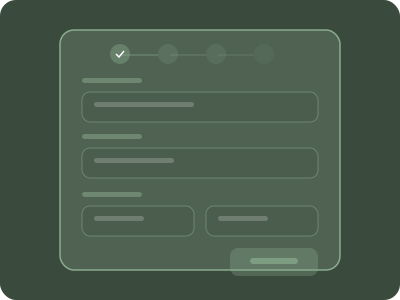
We set it up with you
We help you set up your trade show, or describe it and let the AI assistant draft the tickets and schedule.

Draw Your Floor Plan
Lay out aisles and booths in the layout builder and group them by price, from standard to corner booths.
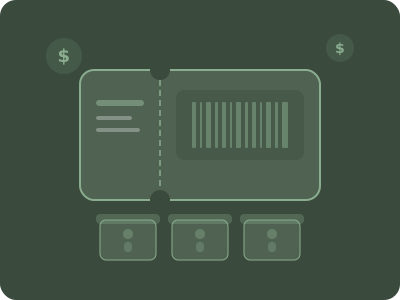
Sell Booths to Exhibitors
Exhibitors pick a booth on the floor plan at their own checkout link, sign their contracts and see their booth in their portal.

Open Attendee Tickets
Day passes, VIP tickets and early-bird discounts on your public storefront.
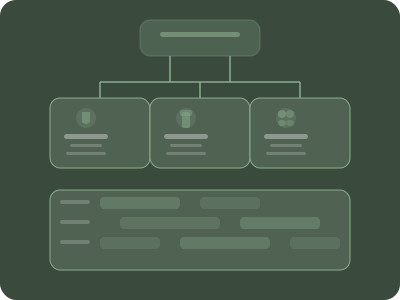
Organize Your Crew
Give the registration desk, floor staff and security their own roles, dashboards and tasks.
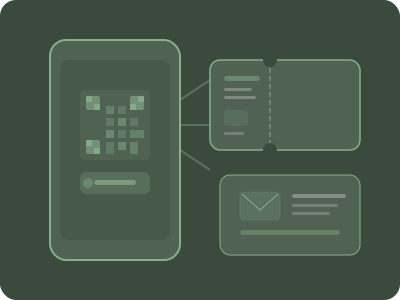
Scan & Go Live
Scan tickets at the doors from any phone, even offline. Attendees find exhibitors on the live floor map.
Pricing
Trade Show Management
$3.50
USD / ticket
+ CC processing fees
Everything included. No monthly fees.
Free events
Full pricing detailsFor free tickets and registrations, we offer a monthly subscription instead of a per-ticket fee.
Starter
$100
CAD / month
200 free registrations a month, then $0.50 each
Growth
$500
CAD / month
1,250 free registrations a month, then $0.40 each
Enterprise
$2,250
CAD / month
9,000 free registrations a month, then $0.25 each
Month to month, no contract, cancel any time.
Usually cheaper
A flat $3.50 per ticket with no annual licence, no implementation fee and no monthly plan, where exhibitor platforms take a percentage or charge by the month (Eventeny lists 3% on tickets on every plan and puts booth self-selection on its Pro plan at $240 US a month billed annually, as of October 2026).
Less for your team to do
Exhibitors pick and pay for their own booths, sign their contracts online and find their booth in their own portal, and the doors scan from any phone, so the show office spends its hours on exhibitors and the floor, not on chasing payments and updating spreadsheets.
We set it up with you
Book a call and we help you set up your event, or describe it and let the AI assistant draft the tickets and schedule for you to edit.
Trade show management software, from booth sales to the show floor
Most trade shows run on a patchwork: a spreadsheet of booths, invoices sent by hand, a separate ticketing site for the public and a printed floor plan at the door. Eventist replaces the patchwork with one trade show management system, so booth sales, exhibitor contracts, attendee tickets and the floor map all share one set of data.
Booth sales on your floor plan
Draw the hall once in the layout builder, with each booth at its own size and grouped by price, then sell booths through an exhibitor checkout at its own link that the public never sees. Exhibitors pick their booth on the plan, answer the questions you ask them and pay by card, and their display name goes on that booth the moment payment completes.
An exhibitor portal with contracts to sign
Every exhibitor who buys a booth joins your staff list as a vendor and is emailed their check-in QR code and a link to their own portal. It shows the booth they booked and where it sits on the map, and any contract you assign them, from exhibitor rules to a load-in agreement, is signed right there.
Tickets, check-in and the door
Sell day passes, VIP tickets and anything else the public buys on your storefront, with early-bird discounts and the questions you need answered per attendee. Every ticket carries a QR code, any phone becomes a scanner that keeps working when the hall Wi-Fi drops, and the built-in POS sells tickets at the door into the same reports as advance sales.
A live floor map and the crew behind it
Attendees open the floor map from their ticket portal, search for an exhibitor by name and see where every booth sits. Your registration desk, floor staff and security get their own roles and dashboards, and the task board tracks load-in, signage and every other job before the doors open.
Trade show management software on Eventist is a flat $3.50 USD per ticket, never a percentage, with no annual licence, no implementation fee and no per-feature add-ons, and card processing runs through Stripe or Square. You keep your exhibitor and attendee data, and real people help you set it up.
How Eventist compares with trade show and exhibitor platforms
| Platform | Fee on a $500 ticket | Exhibitors pick booths on a floor plan | Exhibitors and staff in the same system | App- and login-free scanning |
|---|---|---|---|---|
| Eventist | $3.50 USD | Yes | Yes | Yes |
| Cvent | Custom, $10,000+ a year | Yes, at enterprise cost | Yes, at enterprise cost | No |
| Eventbrite | $20.29 | No | No | No |
| Eventeny | $15 (3%) | Pro plan and up, $2,880 US a year | Volunteers on Pro and up | No |
| Whova | Custom | Yes | Partial | No |
Pricing is each vendor's published model as of September 2026; card processing is extra on every platform, and vendors that quote per customer are marked as custom pricing.
Trade show management software FAQ
What is trade show management software?
Trade show management software sells booths to exhibitors and tickets to the public, then runs the show itself: the floor plan, exhibitor paperwork, check-in at the doors and the staff on the floor. Eventist does both in one platform, so a booth sold online carries the exhibitor's name on the floor map, appears in their portal and lands in your reports at the same time.
How much does trade show software cost on Eventist?
Eventist charges a flat $3.50 USD per ticket, never a percentage, with no annual licence, no implementation fee and no per-feature add-ons. Card processing runs through Stripe or Square at their published rate. Exhibitor booths sell through the same platform, so there is no separate exhibitor system to pay for.
Can exhibitors choose and pay for their own booth?
Yes. Draw your hall in the layout builder, then sell booths through an exhibitor checkout at its own link, kept off your public storefront. Exhibitors pick an open booth on the floor plan, answer your exhibitor questions and pay by card, and their display name goes on that booth as soon as payment completes.
How do exhibitors get their booth details and contracts?
Each exhibitor who buys a booth joins your staff list as a vendor and is emailed their check-in QR code and a link to their own portal. The portal shows the booth they booked and where it sits on the map, and any contract you assign them waits there to be read and signed on their phone or computer.
Does it handle attendee check-in at the doors?
Yes. Every ticket carries a QR code, and any phone becomes a scanner at the entrance. The scanner downloads the attendee list the first time it opens online and keeps scanning when the hall Wi-Fi drops. Tickets sold at the door run through the built-in POS so they appear in the same reports as advance sales.
Can attendees find exhibitors on the show floor?
Yes. Publish your floor map and attendees open it from their ticket portal on any phone, with no app to install. They search for an exhibitor by name and see where that booth sits, and each exhibitor's name appears on their booth as soon as they pay.
Is my exhibitor and attendee data mine?
Yes. Every exhibitor's and attendee's name, email, answers and order history belongs to your organization. Export it whenever you like or connect it to your own email marketing or CRM; it stays yours after the show ends.
Calculate Your Savings
We specialize in helping
Trade show and expo organizers
Consumer shows, B2B expos, home and garden shows, job fairs and craft fairs: if you sell booths to exhibitors and tickets to the public, Eventist runs both from one dashboard, and real people help you set it up.