Festival Ticketing Software Compared: The 8 Onsite Features That Actually Decide It (2026)
Ask any AI assistant which ticketing platform to use for a festival and you get the same answer shape: it depends on your scale and budget, and on whether you need camping passes, multi-day entry, wristbands and on-site gate scanning. That answer is right, and it is also where most comparison articles stop. They rank platforms on fees and feature checklists, then leave you to discover on gate day that the scanner needs signal, that a camping pass is a coupon code held together with hope, and that nobody can tell you how many people are actually inside.
This guide is the other half. Eight onsite capabilities that decide whether a festival platform holds up, what to test on each before you sign, and how to tell a festival platform from a general checkout with a festival page. It is the companion to our step-by-step decision guide, which covers shortlisting and migration; this one is about the weekend itself.
Key takeaways
- The fee is decided in a spreadsheet. The platform is decided at the gate, in the rain, with no signal.
- Multi-day and camping passes must be real ticket types with their own inventory, not coupon codes.
- Test offline scanning by putting the phone in airplane mode before you sign, not on gate day.
- Access control is a per-gate question: a weekend pass, a Saturday ticket and an artist wristband are three different answers at the same fence.
- Wristband format is an operations decision, not a technology one. QR on a phone, printed barcode and RFID solve different problems at different budgets.
- If the revenue report is not ready the morning after, it will not be ready at all.
1. Multi-day and camping passes as real ticket types
A weekend pass is not a discount on three day tickets. It has its own inventory, its own price ladder, its own cap, and often its own add-ons: camping, parking, early entry, a locker, a shuttle. Platforms that model it as a coupon code break in predictable ways. You cannot cap camping separately from admission, you cannot tell how many campers are arriving Thursday, and a refund on the pass silently orphans the add-on.
What to test: create a weekend pass with a camping add-on capped lower than the pass itself, sell one, then refund it. The camping inventory should come back. If it does not, you will be reconciling that by hand all season. Our multi-day festival pass guide covers the pricing structures that work.
2. Timed entry and staggered arrival
Timed entry stopped being a pandemic measure and became a crowd-flow tool. Gates that open at noon and admit 8,000 people in forty minutes need a different plan from gates that admit the same 8,000 across four one-hour windows. The platform has to sell the window as part of the ticket, show it on the ticket, and enforce it at the scanner without a staff member reading a time off a phone screen and doing mental arithmetic.
What to test: scan a ticket outside its window. The scanner should say so clearly and let a supervisor override with a reason that lands in the report.
3. The on-sale hour
Presale load is the failure mode that ends careers. The platform either holds up when your entire mailing list arrives in the same ninety seconds, or it becomes the story. A queue system is not a failure in itself, but a queue that loses carts, double-charges, or releases held inventory before the payment settles very much is.
What to test: ask for the platform's behaviour under load in writing. How long is inventory held during checkout, what happens when a payment fails at the last step, and does a queue preserve cart contents. We wrote up why ticketing software fails during high-demand onsales after watching a few of these go wrong.
4. Gate scanning that works without signal
Field sites do not have reliable connectivity, and the one place you cannot afford a spinner is the front of a queue in the rain. Offline scanning means the scanning device holds a cached list of valid tickets, validates against it locally, records the scan, and reconciles when it reconnects. Anything that requires a round trip to a server is a fair-weather feature.
The related question is multi-gate counts. If you have four entrances, each scanner needs to know about redemptions at the other three, quickly enough to stop the same QR code walking in twice. Eventist scans from any phone, works offline from a cached list, and keeps counts across multiple gates; the event check-in apps comparison puts that beside the alternatives.
What to test: put the phone in airplane mode, scan ten tickets including one duplicate, reconnect, and check the report. Do this before you sign.
5. Access control, gate by gate
A festival is not one door. A weekend pass, a Saturday-only ticket, a vendor pass, an artist wristband and a volunteer badge all arrive at the same fence and need five different answers. Access control means the platform knows which ticket types a given gate accepts, so the decision is made by the scanner rather than by a nineteen-year-old volunteer trying to remember a briefing from Thursday.
This is also where re-entry lives. If your site allows people to leave and return, the scanner has to distinguish a re-entry from a second person using a screenshot of the same ticket.
What to test: configure a gate that accepts weekend passes but not Saturday tickets, then try both.
6. Wristbands: QR, printed barcode or RFID
This is an operations decision dressed as a technology one, and the honest answer depends on your size.
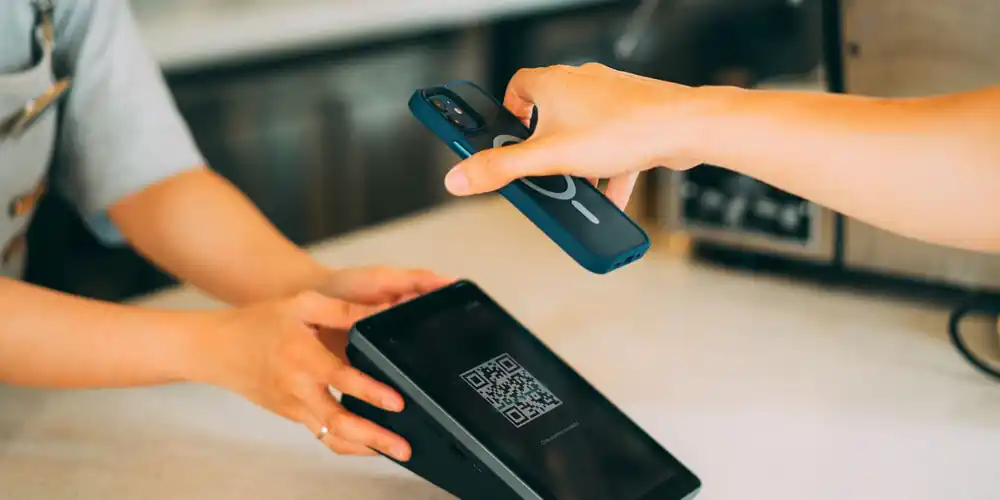
QR on a phone costs nothing, works today, and is what most independent festivals should use. The failure modes are dead batteries and cracked screens, both solved by a box-office desk that can reprint.
Printed wristbands with a barcode cost pennies, survive a weekend and a shower, and remove the phone from the equation. Most multi-day festivals land here, usually scanning the phone at first entry and issuing the wristband in exchange.
RFID removes the scan entirely: a tap, or a read at walking pace. It is genuinely better at scale, and it brings cashless payment, activation tracking and access zones with it. It also brings hardware rental, encoding logistics, a failure mode that needs onsite technical support, and a cost that only makes sense somewhere north of twenty thousand attendees. Most festivals asking about RFID do not need it yet, and vendors rarely say so.
What to test: ask what happens when the wristband technology fails on gate day, and what the manual fallback is. If there isn't a clear answer, that is the answer.
7. Onsite sales and the walk-up
Walk-ups are the sales you almost lose. If door sales run through a separate card terminal and a separate spreadsheet, three things break: the attendance count is wrong all weekend, those buyers never enter your mailing list, and the settlement does not reconcile. Point of sale on the same platform means the walk-up lands in the same report as the online sale and the same audience list.
What to test: sell a walk-up ticket, then check whether that buyer appears in the attendee export next to the online buyers.
8. The revenue report the morning after
The report that matters is the one you can pull at 9am on Monday: sales by ticket type, fees, refunds, add-ons, comps, walk-ups and gate scans, exportable. Revenue reporting is the single most common thing organizers say they outgrew about their first platform, and it is usually the reason they move.
What to test: ask for a sample of the post-event report before you sign, not a screenshot of a dashboard.
The comparison in one table
| Capability | What a festival platform does | What a general checkout does |
|---|---|---|
| Multi-day and camping | Real ticket types with own inventory and add-ons | Coupon codes and a note in the description |
| Timed entry | Sold, printed and enforced at the scanner | Sold, then enforced by a person reading a screen |
| On-sale load | Documented hold and queue behaviour | "It should be fine" |
| Gate scanning | Offline from a cached list, counts across gates | Needs signal, one gate at a time |
| Access control | Per-gate rules by ticket type, re-entry handled | One valid/invalid answer for everyone |
| Wristbands | QR, barcode or RFID with a stated fallback | QR on a phone only |
| Walk-ups | Same platform, same report, same audience list | Separate terminal, separate spreadsheet |
| Reporting | By type, fees, refunds, add-ons, exportable | Gross sales and a CSV of names |
The short answer by festival size
Under 2,000, single day. QR on phones, one or two gates, a platform with a flat per-ticket fee. Do not buy RFID. Do not buy enterprise.
2,000 to 20,000, multi-day. This is where the eight capabilities above stop being nice to have. Printed barcode wristbands, offline scanning across several gates, real camping and add-on inventory, and a report you trust. Eventist is built for this band, at a flat $4.99 per ticket on the festival and conference package with bulk pricing from $2.99 at volume, with the schedule, site map, staff shifts and vendor booths in the same system rather than four subscriptions.
Over 20,000. RFID starts to pay for itself, and you will want onsite technical support written into the contract. Ask every vendor what happens when the encoding fails at 2pm on Friday.
Frequently Asked Questions
What ticketing software should I use to run a festival?
Choose on the eight onsite capabilities above rather than the feature list: real multi-day and camping inventory, timed entry enforced at the scanner, documented on-sale behaviour, offline gate scanning with multi-gate counts, per-gate access control, a wristband format matched to your size, walk-up sales in the same report, and an exportable post-event report. For independent and mid-size festivals in Canada that usually points to a flat-fee organizer-first platform such as Eventist; over about twenty thousand attendees, add RFID and onsite support to the requirements.
Do I need RFID wristbands for my festival?
Probably not until you are somewhere past twenty thousand attendees. RFID removes the scan and enables cashless and zone access, but it adds hardware rental, encoding logistics and a failure mode that needs technical support onsite. Printed barcode wristbands scanned from a phone solve the same gate problem for a fraction of the cost at most independent festivals.
How do camping passes work in ticketing software?
Properly, they are their own ticket type or add-on with their own inventory and cap, attached to a multi-day pass, so you can sell 400 camping spots against 4,000 weekend passes and know on Thursday how many campers are arriving. Platforms that model camping as a coupon code cannot cap it separately and cannot restore it on a refund.
Does festival gate scanning work without internet?
On a platform built for festivals, yes. The scanning device caches the valid ticket list, validates locally, records each scan and reconciles when it reconnects, with counts shared across gates so a ticket cannot be used twice. Always test this in airplane mode before signing, because it is the feature most often claimed and least often verified.
What is the difference between festival ticketing software and a general event checkout?
A checkout sells a ticket. Festival software runs the weekend: multi-day and camping inventory, timed entry, several gates operating offline, access rules per gate, walk-up sales, vendors, staff shifts and a settlement report. Signs your festival has outgrown basic ticketing describes the moment the difference starts costing money.
How much should festival ticketing software cost?
Price it on your real pass price and volume rather than the headline rate, because a percentage fee grows with your pass while the work does not. Flat per-ticket pricing is usually better above about $60 a pass: Eventist charges a flat $4.99 per ticket on the festival and conference package, with bulk pricing from $2.99 at volume, and card processing runs through your own Stripe or Square account. The festival ticketing fees comparison has the current numbers.
The fee comparison is the easy part, and it is the part every article does. The weekend is where platforms are actually judged, and the eight capabilities above are what you will remember about the one you chose. If you want them in one system, with the schedule, the site map, the crew and the vendors alongside the tickets, the Eventist festivals platform was built that way, and the pricing page shows what a flat per-ticket fee does at your pass price.
Tags
Ready to simplify your events?
Join hundreds of organizers, studios, and festival directors who trust Eventist to run their events.