Event Staff Scheduling for Organizers: Safer Shifts, One Control Point
Event staff scheduling works best with a tool built for events rather than office rotas: one that collects availability, sends reminders, shows each person their shifts and turns worked shifts into hours you can pay from. Pair it with a clear command structure, a central control point and a short briefing before doors open, and you help prevent no-shows and double-booking while giving supervisors one view of who is on site. The quickest way to judge a tool is to run a demo against your real roster rather than a sample.
Key takeaways
- There is no official supervisor-to-staff ratio to copy: HSE asks for competent supervision proportionate to the risk, so tighten oversight at gates, stages and other high-risk posts.
- Publish the schedule about a week before the event, ask every staff member to confirm, and hold a 30 to 45 minute briefing before doors open to confirm changes, radios and the control point.
- During demos, ask what SMS costs beyond any free allowance, whether staff accounts are capped, which export formats you get for hours and pay, and how quickly a roster can be bulk-edited.
- Most event staff in Canada fall under the employment standards of the province or territory where they work, so check wage, overtime, break and record-keeping rules in each place you run events (general guidance, not legal advice).
- Match the pricing model to how often you run events: per-ticket fees scale with event size, monthly plans suit recurring programming, and enterprise tiers may bundle onsite support.
What event staff scheduling software actually does
Office scheduling tools assume stable shifts and fixed locations. Events don't work that way: staff rotate between gates, stages and vendor areas, often with dozens of role changes across a single weekend. Purpose-built event staff scheduling software handles five recurring headaches.
- Shift creation and calendar management: visual builders let you create shifts quickly and repeat patterns for multi-day festivals or a venue's weekly shows.
- Availability and self-service: staff submit their availability ahead of time, and some tools let them offer to cover a shift someone else has dropped.
- Notifications and confirmations: SMS and email reminders tackle a common cause of coverage gaps: someone simply forgetting when they're on.
- Onsite tools: mobile check-in, digital shift checklists and time tracking replace paper sign-in sheets and spreadsheet timecards.
- Integrations: connections to ticketing, payroll and payments mean hours worked flow into a payroll export instead of being retyped.
Building the schedule itself is getting faster too. In Eventist's AI assistant, for example, typing "Sam works Saturday 10am to 6pm in the Main Ballroom" puts Sam on the scheduled sessions in that room and time window, and the change waits for your approval before it is saved.
Command structure matters as much as software. HSE's crowd management guidance notes that a large crowd may need a chief steward or audience manager supported by a senior supervisor, and describes a central control point that gives decision makers an overall picture of the venue and coordinates the staff responsible for crowd management. A scheduling tool should make those roles, briefing notes and emergency contacts visible on every shift, not bury them in a separate document.
Once a tool covers the basics, the differences that matter show up in how it handles last-minute changes and role-specific assignments.
How to choose event staff scheduling software
Picking a platform doesn't need to take weeks. One structured demo call, with the right questions ready, usually tells you what you need to know.
Check these during any demo:
- Can a non-technical manager build a multi-day schedule without training?
- Does the system handle last-minute availability changes and shift swaps?
- Are SMS and email reminders included, or billed per message?
- Does the mobile view cover check-in, checklists and time tracking in one place?
- Can you export hours in the format your payroll needs?
- Does it connect to your ticketing or payment system?
Then ask these directly rather than relying on the sales pitch:
- What does SMS cost once you pass any free monthly allowance?
- Is there a cap on staff accounts per plan?
- Which export formats are available for payroll and reporting?
- Who can bulk-edit a roster at short notice, and how fast can support help if you need it?
Pricing generally follows one of three shapes, and the right one depends on how often you run events:
| Pricing model | Best suited to | What to check |
|---|---|---|
| Per-ticket fees | One-off or seasonal ticketed events, since the cost scales with event size | How free registrations and staff-only time are charged |
| Monthly subscription | Recurring programming, such as a venue's weekly shows or regular free events | Whether you keep paying through quiet months |
| Enterprise tier | Large organizations that want onsite support bundled in | Contract length and what the support actually covers |
A single-day conference and a venue running shows every week need very different pricing structures, so match the model to your calendar.
Pro tip: Book the demo for a week when you have a real upcoming roster on hand, so you can test the tool against your actual staff list instead of a sample dataset.
Staffing safety and operational best practices tied to schedules
Good scheduling software only works if the roles and supervision behind it are sound. There is no official supervisor-to-staff ratio to copy: HSE says supervision should be competent and proportionate to the risk, the nature of the event and the people involved, and that staff numbers and command structure depend on the size, complexity and risks of the event. A workable starting point is a team lead for every crew small enough that the lead can see and reach every post, with tighter oversight in critical zones like access control and stage areas, where response time matters most.
For a sense of scale on the steward side, the UK Sports Grounds Safety Authority's stewarding plan guidance gives a typical ratio of one mobile steward per 250 of the anticipated attendance, adjusted by the event's own risk assessment. In Canada, your municipality's special event permit process may set its own staffing or security conditions, so treat any ratio as general guidance, not legal advice.
The control point doesn't have to be elaborate. HSE suggests that at a small venue it could be a manager's office, a tent or a cabin with basic communication equipment such as a telephone and a two-way radio.
Build these practices into your roster, not just your event plan:
- Tag roles so supervisors, stewards and first-aid-certified staff are filterable at a glance.
- Record training and certification status on staff profiles so expired credentials surface before you assign a shift.
- Overlap shifts by 15 to 30 minutes so outgoing and incoming supervisors can hand over properly.
- Attach emergency contacts and control point details to every shift, not a separate printed sheet.
Written duty statements and a pre-event briefing, ideally 30 to 45 minutes before doors open, give supervisors and stewards time to flag last-minute changes and check radios and control point links before the public arrives. Our guide to hiring event security covers how to write those briefs and build the maps that go with them.
Implementation checklist: setting up your first staffed event
Rolling out scheduling software for the first time goes smoothly when you follow a fixed sequence rather than improvising.
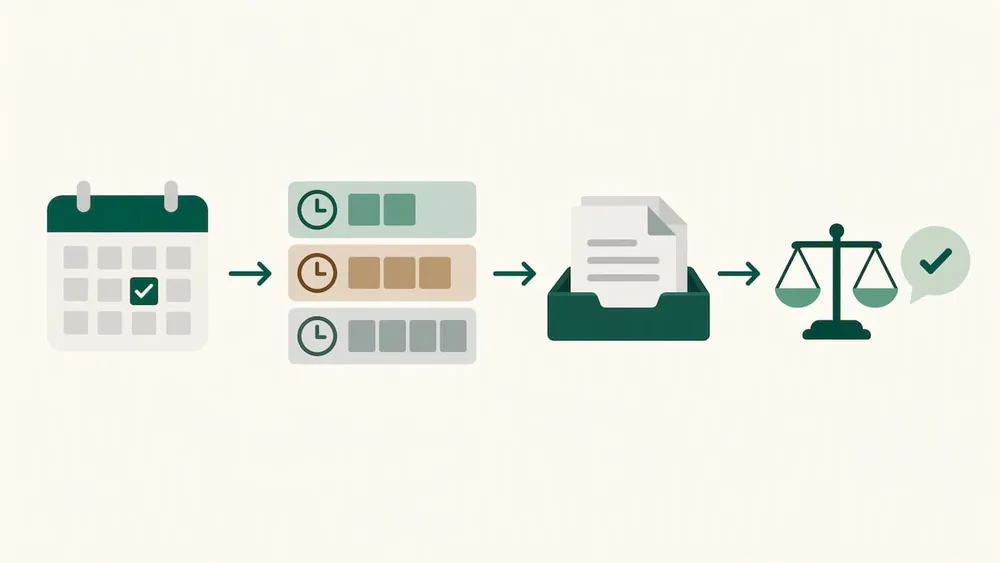
1. Import staff and roles. Upload your roster, assign roles, and decide who gets admin access to which teams.
2. Collect availability. Send availability requests before you build the schedule, not after.
3. Publish and confirm about a week out. Release the schedule, ask every staff member to confirm, and turn on automated reminders.
4. Run day-of operations. Use mobile check-in at entry points, set supervisor checkpoints, and keep track of hours as the day runs.
5. Reconcile after the event. Verify logged hours, export payroll, run a short debrief, and update staff records with any no-shows or new certifications.
Each step feeds the next: clean imports make availability collection faster, and accurate records on the day are what make payroll painless afterward.
Check how your tool calculates hours before you rely on it. At a venue on Eventist, for instance, each staff member's Shifts tab lists their upcoming and past shifts with hours worked, pay rate and earnings, and the Staff Report totals hours and pay per staff member for a date range and exports as a PDF. Those totals are based on the scheduled shift times once each shift has ended, so record early finishes or overtime separately before you run payroll.
Compliance with Canadian labour laws for event staffing
Most event staffing in Canada falls under the employment standards of the province or territory where the work happens; the federal rules cover federally regulated industries such as banks, telecommunications and transport that crosses provincial borders. Minimum wage, overtime thresholds, meal and rest breaks, and record-keeping obligations all differ between provinces, so organizers running events in more than one province need to confirm the standard in each location rather than assuming one province's rules apply everywhere.
Scheduling software helps with the record-keeping side: logged hours, shift confirmations and exported reports create a paper trail that supports accurate pay and helps settle disputes. That matters for temporary and seasonal event staff. Those who are employees are generally covered by the same standards as permanent staff for hours, overtime and rest periods, although some entitlements depend on length of service, and volunteers and independent contractors are treated differently.
This is general guidance, not legal advice. Confirm current requirements with your provincial or territorial employment standards office or an employment lawyer before finalizing contracts for temporary or seasonal staff, particularly for overtime and termination notice on short-term engagements.
Start with your riskiest posts
Pairing scheduling software with sound supervision and briefing discipline is where much of the real efficiency comes from. Software alone doesn't prevent a no-show at the gate; software plus a clear command structure does. We've seen that the organizers who get the most out of these tools treat roles and training records as part of their safety plan, not an administrative afterthought. Start with your riskiest zones (access control, stages and crowd flow points) and build the rest of the roster around them.
Frequently Asked Questions
What features matter most in event staff scheduling software?
Visual shift creation, staff self-service availability, automated SMS and email reminders, mobile check-in, and hour totals you can export for payroll. Connections to your ticketing or payment system matter too, since they remove manual data entry after the event.
How many supervisors do I need for event staff?
There is no single official ratio. HSE's crowd management guidance asks for competent supervision proportionate to the risk and says staff numbers and command structure depend on the event's size, complexity and risks. Keep each crew small enough for its lead to reach every post, tighten oversight at access control and stages, and for a large crowd name a chief steward or audience manager who works from a central control point.
How do I handle last-minute shift swaps efficiently?
Tag roles and record training in your roster so you can filter for qualified replacements, such as first-aid-certified staff, in seconds instead of scrolling a full contact list. Collecting availability up front and letting staff update it themselves cuts the back-and-forth that otherwise eats into briefing time.
What should I ask during a scheduling software demo?
Ask what SMS costs beyond any free allowance, whether staff accounts are capped per plan, which export formats you get for payroll, and how quickly a roster can be bulk-edited at short notice. These details matter more day to day than the feature list on a sales page.
Does Eventist support recurring staffing schedules?
Yes, at venues: each recurring event has a default crew that covers every date, and you can change the staff for a single date without touching the rest. Staff you add once under Default Staff in your account settings are also added to each new event or venue you create.
Sources
- Crowd controls inside the venue, Health and Safety Executive (HSE)
- Stewarding plan, Sports Grounds Safety Authority
- List of federally regulated industries and workplaces, Government of Canada
For the volunteer side of the roster, see what organizers recommend for festival volunteer management software, and for the document your pre-event briefing works from, see how to build a run of show.
Tags
Ready to simplify your events?
Join hundreds of organizers, studios, and festival directors who trust Eventist to run their events.