How Much Does Event Management Software Cost? Canada and US Pricing
Event management software costs anywhere from nothing to tens of thousands of dollars a year, and the published rate is rarely the number you end up paying. Self-serve ticketing platforms usually charge per paid ticket, either a flat amount or a percentage plus a fixed fee, and most are free for free events. Enterprise conference platforms usually charge an annual licence, sometimes plus a fee per registrant, and quote each customer individually. On top of either, you pay card processing, typically around 2.9% plus 30 cents per transaction.
This guide lays out the pricing models, the published rates for the main platforms in Canada and the US as of November 2026, two worked examples, and the costs that do not appear on a pricing page. It is written for organizers comparing platforms for festivals, conferences, trade shows, venues and everyday ticketed events. Prices change often and vary by plan, country and currency, so treat the figures below as a starting point and confirm them on each vendor's own pricing page before you decide. This is general information, not financial or tax advice.
Key takeaways
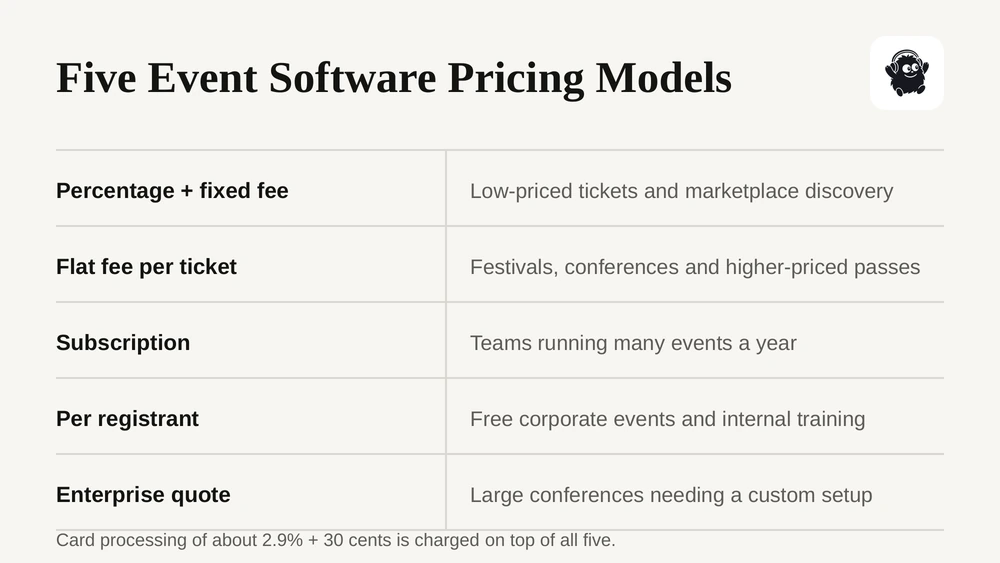
- There are five common pricing models: percentage plus a fixed fee, flat fee per ticket, subscription, per registrant, and enterprise quote.
- Percentage models get expensive as ticket prices rise. A flat fee per ticket stays the same on a $20 ticket and a $200 pass.
- Card processing is a separate cost on most platforms, around 2.9% + 30 cents, with extra charges for international cards.
- Budget for costs that are not on the pricing page: scanning hardware, instant payouts, chargeback fees, unrefunded processing fees, custom domains and SMS.
- In Canada and the US the price buyers see first must include mandatory fees, so the real question is how much of each ticket you keep.
The five pricing models
Before comparing rates, work out which model a platform uses. Two platforms with similar headline numbers can cost very different amounts once your ticket price and volume are applied.
| Model | How you pay | Suits | Watch out for |
|---|---|---|---|
| Percentage plus fixed fee | A share of each ticket price plus a fixed amount per ticket | Low-priced tickets, events that rely on a marketplace for discovery | Cost rises with every price increase unless there is a cap |
| Flat fee per ticket | The same amount per paid ticket regardless of price | Festivals, conferences and promoters with higher ticket prices and their own audience | Add-on charges for features such as SMS or custom domains |
| Subscription | A monthly or annual licence, often with no per-ticket fee | Teams running many events a year | You pay whether you sell 50 tickets or 5,000 |
| Per registrant | A charge per attendee or an annual attendee allowance | Free corporate events, internal training, sponsored shows | Costs grow with attendance even when admission is free |
| Enterprise quote | A negotiated licence, often with implementation fees | Large conferences and associations needing custom setup | Hard to compare, and multi-year contracts |
Many platforms mix these. A marketplace may charge per ticket and also sell monthly plans for support or email volume. An enterprise tool may charge a licence plus a fee per registrant. Ask every vendor for the full list of charges, not just the headline rate.
Published pricing by platform
The table lists published rates for self-serve platforms, checked on each vendor's own pricing or help page in October and November 2026. Platform fees are shown before card processing unless noted.
| Platform | Model | Published platform fee | Card processing | Notes |
|---|---|---|---|---|
| Eventist | Flat per ticket | US: $0.75 general admission, $3.50 festivals, conferences and trade shows, $7.00 competitions. Canada: $0.85, $4.99, $9.99 | Through your own Stripe or Square | No subscription or setup fee on paid ticketing. Free events run on a monthly plan from $100 CAD |
| Eventbrite | Percentage + fixed | US: 3.7% + $1.79 per ticket. Canada: 3.5% + C$1.29 per ticket | 2.9% per order | No cap on the percentage. Optional monthly plans add support and email volume |
| Universe | Percentage + fixed | Starter: 2.0% + $0.79. Standard: 2.5% + $1.99 | Separate | Service fee capped at $19.95 per ticket |
| Humanitix | Percentage + fixed | 2.1% + $0.99. Charities and schools: 1.0% + $0.99 | 2.9% + $0.30 | Profits from fees go to charitable causes |
| Tito | Percentage | 3.0% per ticket. Non-profits: 2.5% | Via Stripe | Capped at $28 per ticket |
| Luma | Percentage or subscription | Free plan: 5% on paid tickets. Luma Plus: 0% | Separate | Luma Plus is $59 a month, billed annually |
| Ticket Tailor | Flat per ticket | US: $0.85 per ticket pay as you go, lower with prepaid credits | Through your own Stripe, Square or PayPal | Free tickets free up to an annual limit |
| TicketSpice | Flat per ticket | $0.99, $1.49 or $1.99 per ticket by plan | Separate | Free tickets are charged unless sold with paid tickets |
| Eventleaf | Per attendee, annual | Free up to 100 attendees a year; $500 a year up to 500; $2,000 a year up to 1,000 | Separate | Overage charged per extra attendee |
| Zeffy | Free to non-profits | No platform or processing fee to the organization | Covered by Zeffy | Funded by optional contributions buyers are asked for at checkout |
Quote-based platforms
Enterprise conference and event platforms such as Cvent, Bizzabo, Accelevents and Whova generally do not publish full pricing. They quote an annual or per-event licence based on the modules you need and your expected attendance, and some add a fee per registrant and a separate implementation fee. Third-party estimates commonly put annual licences for these tools in the five figures. If you are considering one, ask for the licence, any per-registrant charge, onboarding costs, the contract length and the renewal terms in writing. Our guide to Cvent alternatives covers how the main ones differ.
For a deeper look at ticketing fees alone, see our breakdown of event ticketing fees by platform.
Card processing fees
Card processing is the cost of moving money from the buyer's card to your account, and on most platforms it is charged on top of the platform fee. Some platforms bundle it into one rate; most pass it through from a provider such as Stripe, Square or PayPal.
| Provider | Standard online rate | Extras to know |
|---|---|---|
| Stripe (US) | 2.9% + 30 cents per successful card charge | International cards add 1.5%, currency conversion adds 1%. In-person card payments are priced separately |
| Stripe (Canada) | 2.9% + C$0.30 for domestic cards | Separate rates for international cards and currency conversion |
| PayPal (US) | PayPal Checkout: 3.49% + $0.49 | Rates differ by payment method and country |
| Square | Published separately for online, in-person and, in Canada, Interac debit | Check the rate for your country and sales channel |
Two details catch organizers out. First, the extra charges for international cards and currency conversion matter for destination events, where a meaningful share of buyers may pay with a card from another country. Second, when you refund a ticket, the processor generally keeps its original fee, so every refund costs you a little even though the buyer gets their money back. Our event payment processing guide covers how processing works in more detail.
What you would actually pay: two worked examples
Headline rates are hard to compare, so here are two events run through the published US rates above. The first is a small community event: 300 tickets at $25. The second is a festival or conference: 2,000 passes at $150.
Assumptions: one ticket per order, the organizer absorbs all fees, each platform's lowest published self-serve plan, and Stripe's standard 2.9% + 30 cents for processing wherever processing is charged separately. Eventbrite's processing is its published 2.9% per order.
| Platform (plan) | 300 tickets at $25: total fees | Share of $7,500 gross | 2,000 passes at $150: total fees | Share of $300,000 gross |
|---|---|---|---|---|
| Ticket Tailor (pay as you go) | $563 | 7.5% | $11,000 | 3.7% |
| TicketSpice (Standard) | $605 | 8.1% | $11,280 | 3.8% |
| Eventist | $533 | 7.1% | $16,300 | 5.4% |
| Tito | $533 | 7.1% | $18,300 | 6.1% |
| Universe (Starter) | $695 | 9.3% | $16,880 | 5.6% |
| Humanitix | $762 | 10.2% | $17,580 | 5.9% |
| Luma (Free plan) | $683 | 9.1% | $24,300 | 8.1% |
| Eventbrite | $1,032 | 13.8% | $23,380 | 7.8% |
The Eventist figure in the second row uses the $3.50 festivals and conferences rate, which includes scheduling, site maps, staff and vendor tools. The same 2,000 passes sold as plain general admission are $0.75 each, which would put the total at $10,800, or 3.6%.
Three things stand out. On a $25 ticket, the gap between platforms is a few hundred dollars and the cheapest options are close together. On a $150 pass the gap grows to more than $13,000, and flat-fee platforms pull clearly ahead because their charge does not rise with the price. And processing is a large share of the total in every row, which is why comparing platform fees alone is misleading.
Subscriptions change the picture again for frequent organizers. Luma Plus removes Luma's 5% fee for $59 a month billed annually, which would bring the festival example down to roughly $10,000 including the subscription, but only makes sense if you run enough paid events to cover the annual cost.
Run the same exercise with your own ticket tiers, add-ons and volume. Our guide to how much it costs to sell tickets online walks through the method.
Costs that are not on the pricing page
The per-ticket rate is only part of what you pay. These are the charges organizers most often miss when they budget.
- Scanning and sales hardware. Card readers, tablets, badge printers and wristband printers are usually bought or rented separately. A festival with many entry lanes multiplies the bill.
- Faster payouts. Standard payouts are usually free, but instant or early payouts often carry a fee. Stripe charges 1.5% for Instant Payouts in the US.
- Chargebacks. Processors charge a dispute fee, $15 per dispute at Stripe in the US, and many keep it even if you win.
- Refunds. As covered above, the original processing fee is usually not returned when you refund, so a high refund rate quietly adds cost.
- Branding. Custom domains and removing the platform's branding are often paid add-ons.
- Messaging. SMS campaigns usually cost per message, sometimes with a monthly or activation fee, and email volume can be tied to a plan.
- Support and onboarding. Some platforms charge for phone support or priority help, and enterprise tools often charge for implementation.
- Tax on fees. Canadian organizers are generally charged GST or HST, and in some provinces PST, on the platform's fees, which adds to the effective cost.
None of these is unreasonable on its own. The problem is finding them after you have committed. Our guide to event ticket refunds and chargebacks covers the refund side in more depth.
Canada vs the US: what changes
Currency. Many platforms publish US dollar pricing first. Some, like Eventbrite, publish a separate Canadian rate. Others charge Canadian organizers in USD, which adds a currency conversion cost on top. Check which currency you will be billed in and paid out in.
Tax on platform fees. Canadian organizers are generally charged GST or HST on platform fees, and PST in some provinces. Ask your accountant whether you can claim input tax credits on those fees.
All-in pricing. Both countries now require the first price buyers see to include mandatory fees. In Canada, the Competition Act treats drip pricing as misleading, and in 2024 the Competition Tribunal ordered Cineplex to pay a penalty of about $39 million over a mandatory online booking fee. In the US, the FTC's Rule on Unfair or Deceptive Fees has applied to live-event tickets since May 12, 2025.
This changes how you should think about fees. You can still pass them to the buyer, but the buyer sees the total upfront and decides on that number. If a ticket is advertised at $28.50 all-in, the question is no longer who pays the fee. It is how much of the $28.50 you keep. A lower platform fee means more of the same advertised price comes back to you. Our guide to all-in ticket pricing in Canada explains how to comply.
How to estimate your own cost
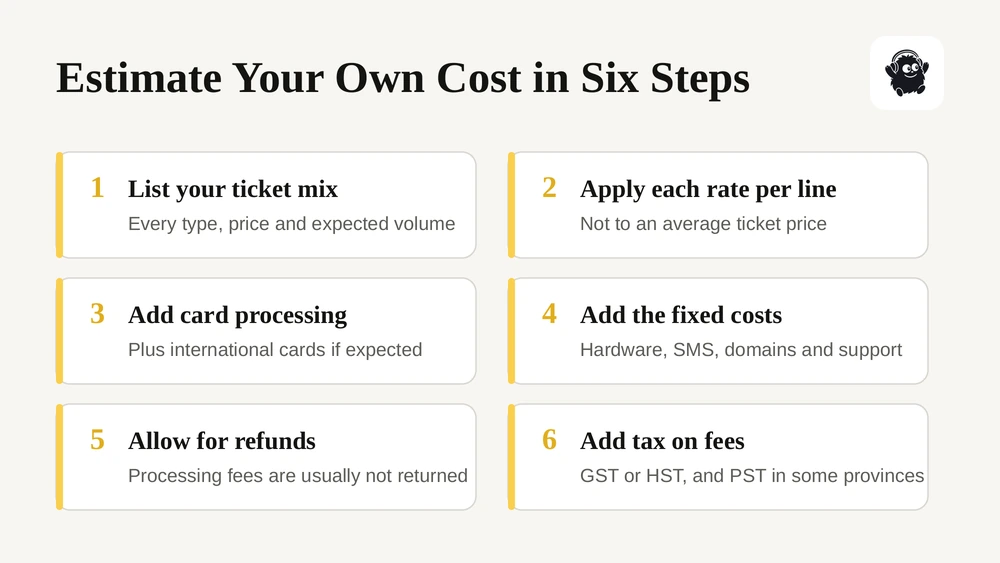
1. List your ticket mix. Every ticket type, its price and how many you expect to sell. Include free tickets and add-ons such as parking or merchandise.
2. Apply each platform's published rate to every line, not to an average ticket price. Percentage fees on a VIP tier can outweigh everything else.
3. Add processing at the provider's rate for your country, plus an allowance for international cards if you expect out-of-country buyers.
4. Add fixed costs. Subscriptions, hardware, custom domain, SMS, support plans and onboarding.
5. Add an allowance for refunds and chargebacks based on last year's rate, remembering that processing fees are usually not returned.
6. Add tax on fees if you are in Canada, then compare the total against the features you need. A cheaper platform that forces you to buy a separate scheduling, staffing or check-in tool may not be cheaper overall.
If you are weighing a full platform rather than ticketing alone, our event management software buyer's guide covers what to compare beyond price.
Common mistakes when comparing costs
- Comparing headline rates instead of totals. A lower percentage can still cost more once the fixed fee and processing are added.
- Using an average ticket price. Percentage fees hit your highest-priced tiers hardest, so model each tier.
- Ignoring the currency. A USD price paid from a Canadian account costs more than it looks.
- Assuming free means free. Free platforms are funded somehow, whether through buyer fees, optional tips at checkout or paid upgrades.
- Forgetting the tools around the ticket. Scheduling, staff management, maps and check-in apps bought separately belong in the same budget.
- Signing a multi-year enterprise contract for one event. An annual licence is good value spread across many events and poor value for one.
Our perspective
When organizers ask us what software costs, the honest answer is that the ticketing fee is usually the smaller part of the bill. The bigger cost is the stack around it: a scheduling tool, a volunteer app, a form builder for vendors, a separate check-in app, a spreadsheet for door sales, and the hours someone spends copying data between them.
So we would encourage two comparisons, not one. First, the fee comparison above, done with your real ticket mix. Second, a list of every tool and every manual task your event currently depends on, and what each one costs in money and staff time. The platform that wins on the first list does not always win on the second.
And whichever you choose, get the full list of charges in writing before you sign. A vendor who is clear about its costs upfront is usually clear about other things too.
Where Eventist fits
Eventist is a Canadian event management and ticketing platform built to replace the stack, not just the ticketing tool. Ticketing and check-in, a built-in point of sale for door sales, marketing and cart recovery, and real-time analytics sit alongside drag-and-drop scheduling, live interactive maps, booth and seat map builders, staff and volunteer scheduling with hour tracking, and e-signed contracts.
Pricing is a flat fee per paid ticket, never a percentage, so a VIP pass costs the same to sell as a day pass. There is no subscription or setup fee on paid ticketing, and card processing goes through your own Stripe or Square account at the processor's published rate with nothing added on top. Events that sell no tickets through Eventist, including free events and RSVPs, run on a monthly event management plan instead.

Every ticket carries a QR code, any phone works as a scanner, and door sales land in the same reports as online sales. You can see the full rate card on pricing, or how it works for festivals and conferences.
Frequently Asked Questions
How much does event management software cost?
Self-serve ticketing platforms are usually free for free events and charge per paid ticket, either a flat amount of roughly $1 or less, or a percentage plus a fixed fee, such as Eventbrite's 3.7% + $1.79 in the US. Card processing of about 2.9% + 30 cents is usually extra. Enterprise conference platforms such as Cvent and Bizzabo quote annual licences, often in the five figures, sometimes with per-registrant and setup fees.
Is a flat fee or a percentage fee cheaper for selling tickets?
It depends on your ticket price. On low-priced tickets, a small percentage plus a small fixed fee can be cheaper than a flat fee. As the price rises, a percentage fee grows with it while a flat fee stays the same, so flat-fee platforms usually cost less for festival passes, conferences and VIP tickets. Model your actual ticket tiers rather than an average to see which wins for you.
Do ticketing platforms charge for free events?
Most do not. Eventbrite, Universe, Humanitix, Tito and Luma publish free events as free, and Ticket Tailor is free for free tickets up to an annual limit. TicketSpice is an exception, charging per free ticket unless it is sold alongside paid tickets. Eventist runs free events on a monthly event management plan from $100 CAD rather than a per-ticket fee. Some platforms price by attendee volume instead, such as Eventleaf's annual attendee tiers.
What hidden costs should I budget for with event software?
Beyond the platform fee, budget for card processing, scanning and payment hardware, instant payout fees, chargeback fees, processing fees that are not returned on refunds, custom domains or branding removal, SMS messages, paid support, onboarding for enterprise tools and, in Canada, GST or HST on platform fees. Ask each vendor for a complete written list of charges before you sign.
Is event software more expensive in Canada than the US?
Not always, but there are extra costs to check. Some platforms publish separate Canadian rates, while others bill in USD, which adds currency conversion. Canadian organizers are generally charged GST or HST on platform fees, and PST in some provinces. Buyers paying with foreign cards can also trigger higher processing rates. Compare totals in the currency you will actually be billed and paid in.
Do I have to include ticketing fees in my advertised price?
Yes, in both countries. Canada's Competition Act treats drip pricing, adding mandatory fees after the advertised price, as misleading. In the US, the FTC's fee rule has required total-price advertising for live-event tickets since May 12, 2025. You can still pass fees to buyers, but the first price shown must include every mandatory fee, with taxes allowed at checkout.
Sources
- How much does it cost for organizers to use Eventbrite, Eventbrite Help Center
- Pricing, Universe
- Pricing, Ticket Tailor
- Pricing, Humanitix
- Pricing, Stripe
- Deceptive marketing practices: cases and outcomes, Competition Bureau Canada
- FTC Rule on Unfair or Deceptive Fees, Federal Trade Commission
Platform prices were checked on each vendor's pricing or help page in October and November 2026.
Recommended
Tags
Ready to simplify your events?
Join hundreds of organizers, studios, and festival directors who trust Eventist to run their events.