Venue Event Calendar: How to Fill and Manage Your Dates
A venue event calendar is two tools wearing one name. Outward, it is the public what-is-on page that sells tickets. Inward, it is the booking calendar that stops you double-booking a room, tracks holds against confirmed dates, and tells you which nights are still empty. Most venues run the first in their website builder and the second in a shared spreadsheet, and the gap between them is where double-bookings and missed enquiries live.
This guide covers what each side has to do, how holds and confirmations should work, what to put on a public calendar so it actually sells, and how to tell whether one system can run both. It is written for independent venues, theatres, community halls, clubs and multi-room spaces.
Key takeaways
- The internal calendar and the public calendar should be one record shown two ways. Keeping them separate is how a hall gets promised twice.
- Holds need an expiry date. A tentative booking with no expiry quietly becomes a blocked date nobody is selling.
- Your public calendar is a sales page, not a list. Dates with no ticket link are dead ends.
- A rental enquiry form that writes straight into the calendar is worth more than a prettier calendar.
- Count your empty nights as a number. If nobody owns that figure, nobody is working on it.
The two calendars
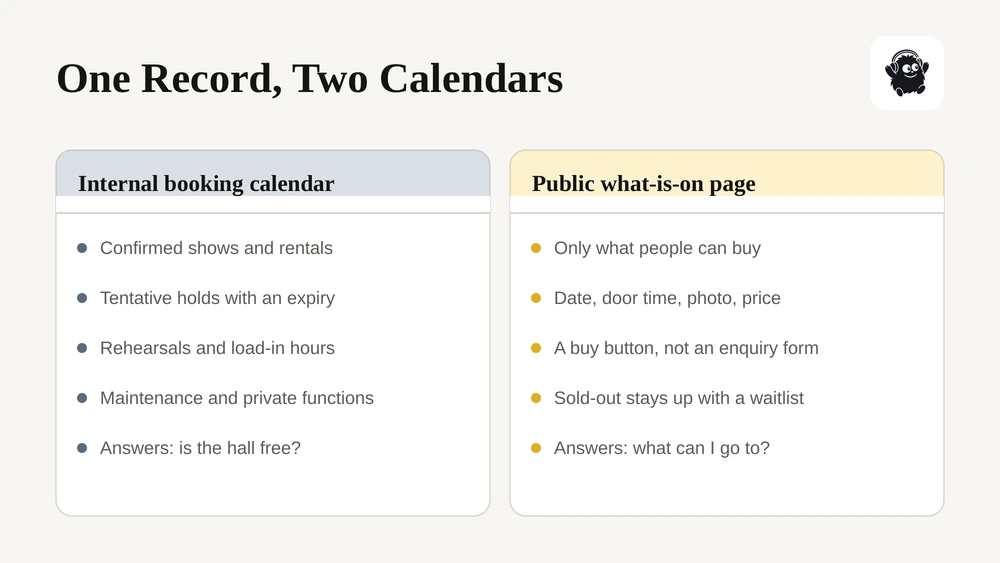
The internal calendar holds every commitment on the building: confirmed shows, tentative holds, rentals, rehearsals, load-ins, maintenance windows and private functions. Its job is to answer "is the hall free on March 14" correctly, the first time, for whoever asks.
The public calendar lists what the audience can buy. Its job is to turn a browser into a ticket sale with as few clicks as possible.
They overlap but are not the same: a private wedding belongs on the internal calendar and not the public one; a show on sale belongs on both. The usual failure is treating them as separate systems, so a date confirmed in one never appears in the other.
Holds, confirmations and the rules between them
Most venue double-bookings come from holds, not confirmed dates.
A promoter asks about March 14. Someone pencils it in. The promoter goes quiet. Three months later nobody remembers whether March 14 is real, and either you turn away a paying booking or you release it and the first promoter reappears.
The rules worth enforcing in software rather than in habit:
| Rule | What it means | Why |
|---|---|---|
| Every hold has an expiry | A tentative date auto-releases or prompts you on a set date | Stops silent dead inventory |
| Holds are ranked | First hold, second hold, with a challenge process | Lets you take a second enquiry without losing the first |
| Confirmation changes status visibly | Tentative, confirmed, contracted and paid are distinct | "Confirmed" meaning three things is how disputes start |
| One room cannot take two bookings | The calendar refuses an overlap rather than warning about it | A warning gets clicked through on a busy day |
| Load-in and strike are on the calendar | The booking occupies the hours either side, not just showtime | The room is not free at 9am because the show ended at 11pm |
If you take rentals, the contract should hang off the same record. Our guides to vendor contract management and venue rentals and promoter settlement cover the paperwork and the money either side of a booking.
What belongs on the public calendar
A public calendar is judged on one thing: how many people who look at it buy something.
The entries that sell have a clear date and door time, a photo, a one-line description, the price or price range, and a buy button that goes straight to checkout rather than to an enquiry form. The entries that do not sell are a list of names and dates with no link.
Beyond the individual entry:
- Filters that match how people choose. By month, by genre or type, by room if you have several.
- A sold-out state that still works. Mark it sold out and offer a waitlist rather than removing the entry, because a sold-out page is evidence the venue is worth watching.
- A rental enquiry route. Someone looking at your calendar to see if you are free for their own event needs an obvious path, and that enquiry should land in the booking calendar rather than a shared inbox.
- Structured data. Event markup helps a date show in search results and in the panels Google and AI assistants build. Most ticketing platforms emit it automatically; a hand-built page usually does not.
Filling the empty nights
A calendar's real value is showing you the gaps, which is a reporting question rather than a design one.
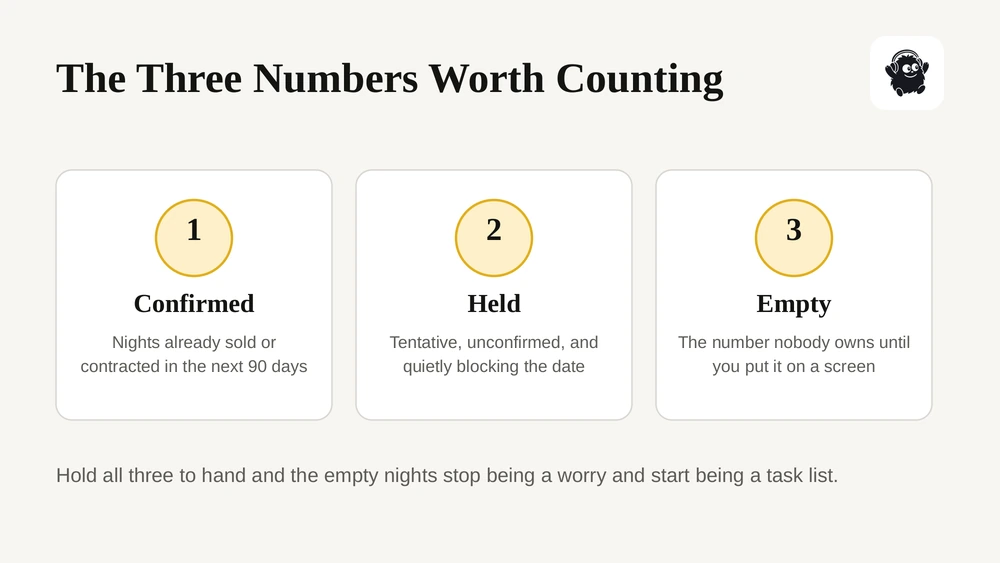
Three numbers are worth having to hand: how many nights are confirmed in the next ninety days, how many are held but not confirmed, and how many are empty. If you can see those at a glance, the empty ones become a task list rather than a vague worry.
What to do with them is a separate exercise: approach promoters directly, open the room for rentals and community bookings on quieter nights, build a recurring night of your own such as a comedy or open-mic series, and work the dates around a confirmed show, because a touring act already in the region is cheaper to add than one you bring in cold.
Our writeups on drag-and-drop scheduling and event staff scheduling cover the operational side once the dates fill.
One system or two?
The honest answer is that two systems work fine if one of them is the source of truth and the other is generated from it. What does not work is two systems both edited by hand.
Signs you have outgrown the spreadsheet: someone asks whether a date is free and the answer takes more than a minute; a hold has been on the calendar long enough that nobody remembers who made it; the website lists a show that moved; or the person who maintains the spreadsheet is the only one who understands it.
When you compare platforms, ask the vendor to show one date moving. Change a confirmed show from March 14 to March 21 and watch what happens to the public page, the tickets already sold, the staff schedule and the room booking. How much of that is automatic is the whole answer. Our venue management software pricing guide covers what the tier costs.
Where Eventist fits
Eventist holds the booking calendar and the public what-is-on page as one record. Rooms and spaces are scheduled with conflict checks rather than warnings, so a double-booking is refused; load-in and strike occupy the room alongside the performance; and a date that goes on sale appears on the venue's public page with a buy button straight to checkout.
Rentals run through the same calendar: customers book and pay for room time online in slots you open, and the contract is signed electronically from the booking. Staff and volunteer roles, shift schedules and task lists hang off the same dates, and ticket revenue, rental income and door sales report together. Pricing is a flat fee per paid ticket with no subscription or setup fee on paid ticketing; a venue that does not sell tickets through Eventist runs on a monthly event management plan instead.

You can see the detail on our venues page, or compare the numbers on pricing.
Frequently Asked Questions
What is a venue event calendar?
It is two things sharing one set of dates: an internal booking calendar that records every commitment on the building, including holds, rentals, rehearsals and maintenance, and a public what-is-on page that lists the events people can buy tickets for. Run well, they are one record displayed two ways, so confirming a date internally puts it on sale publicly without anyone retyping it.
How do venues avoid double-booking a room?
By making the calendar refuse an overlap rather than warn about one, by giving every tentative hold an expiry date so dead dates release themselves, by ranking first and second holds so a second enquiry does not displace the first, and by putting load-in and strike on the calendar so the room is not shown free in the hours around a show.
What should a venue put on its public events calendar?
Date and door time, a photo, a one-line description, the price or price range and a buy button that goes directly to checkout. Add filters by month, type and room, keep sold-out events visible with a waitlist rather than deleting them, and give rental enquiries an obvious route that lands in the booking calendar rather than a shared inbox.
Can one system run both the booking calendar and the ticket sales?
Yes, and it is worth asking a vendor to prove it in a demo. Move a confirmed show from one date to another and watch what happens to the public page, the tickets already sold, the staff schedule and the room booking. Whatever does not update automatically is work someone on your team will do by hand every time a date changes.
How do venues fill empty dates?
Start by counting them: confirmed, held and empty nights over the next ninety days. Then work the list deliberately, by approaching promoters directly, opening quieter nights for rentals and community bookings, building a recurring night of your own, and targeting dates near a confirmed show, since a touring act already in the region costs less to add than one brought in cold.
Sources
Recommended
Tags
Ready to simplify your events?
Join hundreds of organizers, studios, and festival directors who trust Eventist to run their events.