Virtual Queues at Events: Hold the Place, Not the Line
Steps at a glance
- Check the queue is the real problem. A virtual queue moves the waiting, it does not shorten it. If arrivals outpace service by double, add a server before you add software.
- Pick the mode for each booth. Either everyone joins the list and walk-ups scan the sign, or the standing line carries on and staff call one from the queue every few customers.
- Set the hold window and the cap. Decide how long a called place is held, three to ten minutes, and how many people may be waiting before the queue stops accepting more.
- Put a readable sign at the booth. A big QR code, one line saying join the line from your phone, what happens next, how long a place is held, and ask staff if you have no phone.
- Call one person at a time. Calling several at once rebuilds the physical line you were avoiding. Watch the pace between calls rather than the length of the queue.
- Measure served, missed and abandoned. Places served per hour is your real service rate, a rising missed rate means the hold window or the messages are wrong, and leavers mean the wait was dishonest.
A virtual queue replaces standing in line with holding a place from your phone. The attendee scans a code or taps a pin on the event map, joins, walks away, and gets a text when it is their turn. For the organizer it is not really a line tool: it is a way to stop a 40 minute wait from deciding how the rest of someone's day goes.
This guide covers when a virtual queue helps and when it makes things worse, the two ways to run one alongside a physical line, what to put on the sign, how to handle people without phones, and what to measure afterwards. It is written for festivals, conferences and expos rather than theme parks, where the queueing problem is a different scale.
Key takeaways
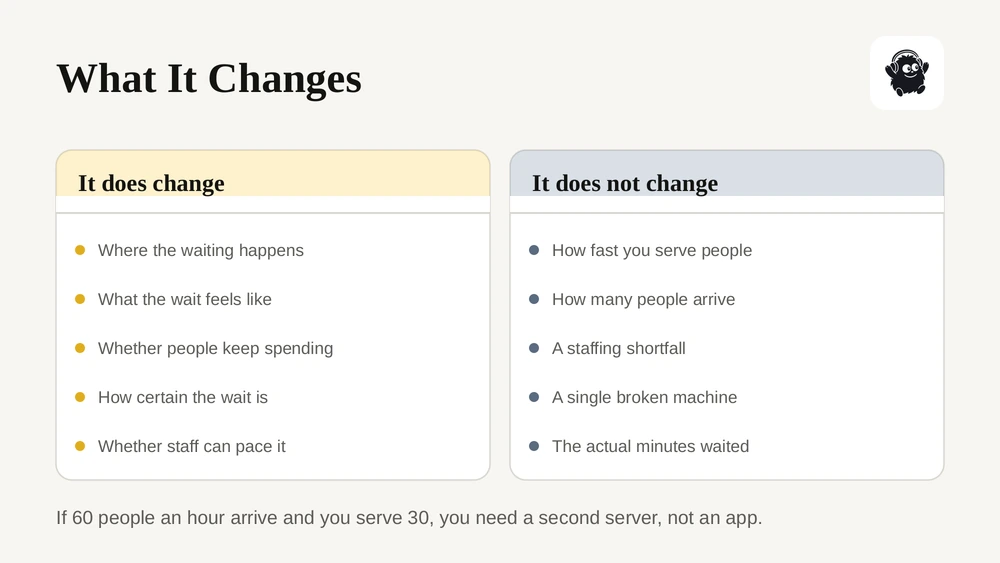
- A virtual queue does not make service faster. It makes waiting cheaper, because the waiting happens somewhere the attendee would rather be.
- Lines form when arrivals outpace service, and no software fixes that. If a booth serves 30 people an hour and 60 arrive, you need a second server, not an app.
- Run the queue beside the standing line, not instead of it. The people already standing there did nothing wrong.
- One message at "your turn" is enough. A queue that texts three times is a queue people leave.
- The number worth watching is not the wait. It is how many called places were missed, because that is the queue quietly failing.
What a virtual queue actually does
The arithmetic of a line is unforgiving. If people arrive faster than they are served, the line grows until arrivals stop, and the length is set by that gap and nothing else. A virtual queue changes none of that. What it changes is where the waiting happens and what the attendee can do with it.
That is worth more than it sounds. Forty minutes standing on asphalt is forty minutes nobody spends at a stage, a sponsor's booth or a bar. The same forty minutes spent walking around with a place held is time that still belongs to your event.
It also changes what the wait feels like. Waiting with a number and an estimate is a different experience from waiting in an unmoving line with no idea whether it is ten minutes or an hour. Uncertainty is most of what people hate.
When it helps, and when it does not
It helps when:
- The wait is long enough to matter, roughly fifteen minutes or more.
- There is somewhere better to be. A festival site, an expo floor, a conference with sessions running.
- Service time per person is uneven: a tattoo stand, a fitting, a consultation, an artist signing.
- The queue is a bottleneck you cannot widen on the day, like one espresso machine.
It does not help when:
- The wait is three minutes. You have added a step to something that was not broken.
- Everyone is already where they need to be, like a seated conference lunch.
- People cannot leave the area anyway, such as a security screening line into the venue.
- The real problem is understaffing. A virtual queue hides a staffing failure for about an hour, then stops hiding it.
Two ways to run one beside a physical line
A booth that turns on a virtual queue still has people walking up to it. There are two honest ways to handle that, and choosing badly is what makes attendees angry.
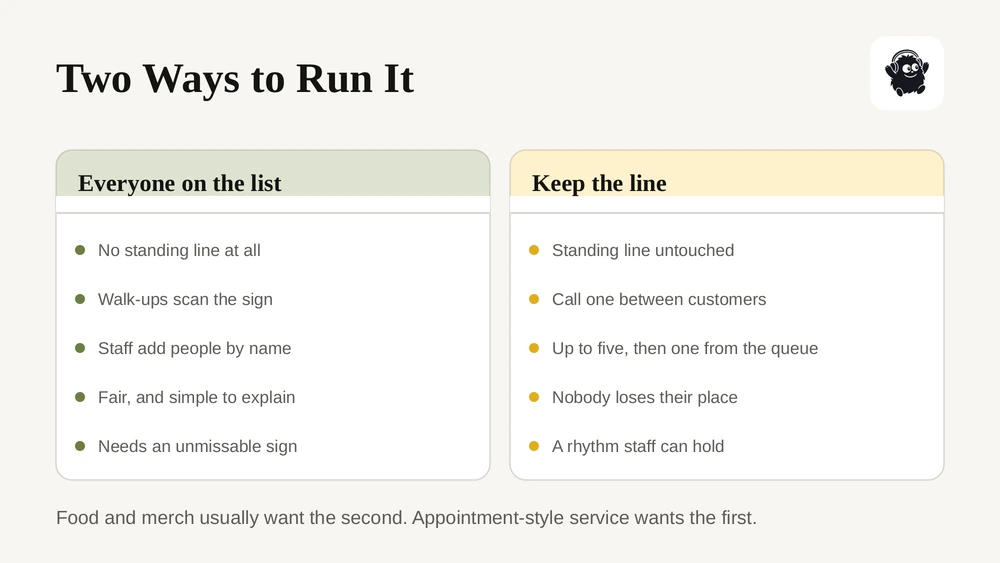
Everyone on the list. The standing line goes away. Walk-ups scan the sign at the booth and join like everyone else, or staff add them from the console. Fair, simple, and it only works if the sign is unmissable and staff are willing to point at it all day.
Keep the line, call between customers. The standing line carries on untouched, and staff call one person from the virtual queue every few customers. Nobody standing there loses their place, the people who joined from their phone move at a predictable rate, and staff get a rhythm they can hold: serve three from the line, call one from the queue.
The second is usually right for food and merchandise, where people queue by instinct. The first is right for appointment-like service, where the standing line was never working anyway.
What goes on the sign
The sign at the booth is the whole product for anyone who did not open the map. Put on it, in this order:
- A QR code big enough to scan from where people stand, not from where staff stand.
- The one thing it does: join the line from your phone.
- What happens next: you get a text when it is your turn.
- What happens if you miss it, including how long the place is held.
- A fallback for someone with no phone: ask a member of staff.
Do not put the queue rules, your sponsor logos and an explanation of the app on the sign. Nobody reads a sign in a crowd.
Running it on the day
- Decide the hold window before you open. Three, five or ten minutes between the call and giving the place away. Shorter for food, longer for anything someone might be across the site for.
- Call one at a time. Calling four at once creates a small physical line of its own, which is the thing you were avoiding.
- Watch the pace, not the queue length. A queue of 20 with a two minute pace is fine. A queue of 8 with a nine minute pace is a problem.
- Pause rather than close when staff step away, so people keep their places and nobody new joins.
- Cap the waiting list. A queue that is three hours long should stop accepting people, and say so.
- Make it obvious at the booth that a virtual queue exists, repeatedly, out loud. Staff saying it is worth more than any sign.
The people a queue can leave behind
Every queue system has an edge, and the edge is where complaints come from.
No phone, or a dead battery. Staff must be able to add someone and call them by name. If the only way in is a phone, you have built a line that excludes people.
No data. Festival sites eat signal. A place that depends on a live connection fails exactly where you need it. A text is the most reliable thing you can send.
Language. If your attendees are not all English speakers, the join form and the text have to be in their language, the same way the rest of the storefront is.
Accessibility. Someone who cannot stand for long is who this is most useful for. Make sure the sign is reachable from a seated height and that staff can add people, and check the queue page works with a screen reader.
People who game it. One place per person is a rule worth enforcing, otherwise one group holds six places and calls the one they want.
What to measure
- Places served per hour, per booth. Your real service rate. Everything else follows from it.
- Missed calls. People who were called and did not come back. A rising missed rate means the hold window is too short or the texts are not arriving.
- Joined and left. People who gave up before being called tell you the wait was dishonest.
- Peak queue length and when. This is next year's staffing plan, in one number per hour.
- Which booths needed it. Usually not the ones you expected.
Where Eventist fits
Eventist puts the queue on the pins of the event's live map, so there is nothing extra for an attendee to install.
Someone taps the booth on the map, or scans the QR sign at the booth itself, enters a name and a mobile number, and holds a place. There is no account and no app. When it is their turn they get one text, and only that one. The number is erased from the place as soon as they are called, and the phone identifies itself with a per-event code kept on the device rather than a login.
Staff run it from a console: call next, serve, mark a no-show, pause, add a walk-up by name. The two modes above are both built in, so a booth can either put everyone on the list or keep its standing line and call one person from the queue every few customers, up to five. The wait estimate comes from how fast that booth has actually been calling, not from a guess, and the console shows what the shift has served and missed.
A vendor can run the queue at their own booth once the host switches it on, crew can run one at any pin from the staff map, and the host can see every queue in the event from one tab. It is part of the festival package rather than an add-on.
Our guide to interactive venue maps covers the map the queue sits on, and the festivals page has the rest of the live map features.
Frequently Asked Questions
What is a virtual queue?
A virtual queue lets someone hold a place in line from their phone instead of standing in it. They join by scanning a code or tapping a point on the event map, go and do something else, and are told when it is their turn, usually by text. The service rate does not change; what changes is that the waiting happens wherever the attendee wants to be.
Do virtual queues reduce wait times?
No, and any vendor who says otherwise is selling something. The wait is set by how fast people arrive and how fast they are served. A virtual queue changes where people wait and how certain they feel about it, which is why satisfaction goes up while the clock stays the same. To reduce the wait itself you need more servers, faster service or fewer arrivals at once.
How do you run a virtual queue alongside a normal line?
Two ways. Either everyone joins the virtual queue, including walk-ups who scan the sign at the booth, so there is no standing line at all; or you keep the standing line and call one person from the virtual queue every few customers. The second is usually better for food and merchandise, where people queue by habit, because nobody already standing there loses their place.
What happens if someone misses their turn?
Their place is held for a set window, commonly three to ten minutes depending on how far people might have wandered, and then it is given away. The important part is deciding the window before you open and putting it on the sign, so missing a turn is a known rule rather than an argument at the counter.
Do attendees need to download an app?
They should not have to. A queue that requires an app will be used by a small fraction of your attendees, because people do not install software to buy a coffee. A web-based queue reached from a QR code or the event map, with a text message at the end, reaches everyone with a phone and leaves staff able to add anyone without one.
Is a virtual queue worth it for a small event?
Only where there is a real bottleneck. If one booth at a 500 person event has a 25 minute wait and the rest of the site has nothing to do, a virtual queue fixes a genuine problem. If every line moves in under five minutes, it adds a step and a sign for no gain. Start with the one or two places people actually complain about.
Sources
- Canada's Anti-Spam Legislation: commercial electronic messages
- Accessibility rules for businesses and non-profits, Government of Ontario
- Making customer service accessible, Government of Ontario
Recommended
Tags
Ready to simplify your events?
Join hundreds of organizers, studios, and festival directors who trust Eventist to run their events.